Why I Stopped Using Toggl and Started Tracking Time Inside My Tasks
Toggl works fine. The problem is that it exists separately from where your work happens. Here's why the architecture of standalone time trackers is broken — and what native tracking actually fixes.

Contents
One flat fee for the whole team
Tasks, timers, CRM and invoices in one workspace. From $29 a month, no seat tax.
Start free demo14 days · no credit card
The Problem Isn't Toggl — It's Where It Lives
Toggl is a well-built product. The interface is clean, the reporting is solid, the free tier is genuinely usable. I'm not here to tell you Toggl is bad. I'm here to explain why I stopped paying for it — and why the reason has nothing to do with Toggl specifically. The problem is structural. Toggl lives outside your work. Your tasks live in one place, your timer lives in another, and bridging that gap requires a deliberate action every single time you start or stop working on something. That action — switching to Toggl, finding or creating the entry, starting the clock — is the gap where hours disappear. Time tracking tools that live outside your task manager will always lose the hours that happen inside it. That's not a feature request — it's physics.
"Time tracking tools that live outside your task manager will always lose the hours that happen inside it. That's not a feature request — it's physics."
The Context Switch That Eats Your Data
Here is the sequence that every Toggl user has experienced at least weekly. You open a task. You start working. At some point you remember — or don't — to open Toggl. You type the project name. You hit start. Then something interrupts you. A Slack message. A client call. You close the task. You don't stop Toggl. The timer runs for three hours against a task you stopped working on twenty minutes in. You discover it at end of day and manually correct it — or you don't, and your data is wrong. This isn't a discipline failure. It's a design failure. The tool requires you to manage it in addition to managing your work. Every additional thing you have to manage introduces failure points.
"I had Toggl Premium for two years. My reports looked great. When I compared them to actual project outcomes, I was consistently billing 15-20% less than I'd actually worked. The data looked clean but it was systematically wrong."
— Freelance developer, 5 years tracking time
I Tracked My Toggl Usage for Two Weeks
Before switching, I ran an experiment. For two weeks, I tracked my Toggl usage — specifically, how often I forgot to start it, how often I forgot to stop it, and how many manual corrections I made at end of day. The results: I missed starting the timer on 34% of task sessions. I forgot to stop it on 28% of sessions (discovering it hours later). I made at least one manual correction every single day. Over two weeks, I estimated the gap between Toggl's records and my actual work at approximately 11 hours. At my rate, that was $880 of untracked time in two weeks. Annualised: roughly $22,800 in work that either never got billed or got billed at a rate based on incorrect data. That number depends heavily on work type and billing model — but the direction of the error is universal: standalone timers undercount.
Why Standalone Timers Systematically Undercount
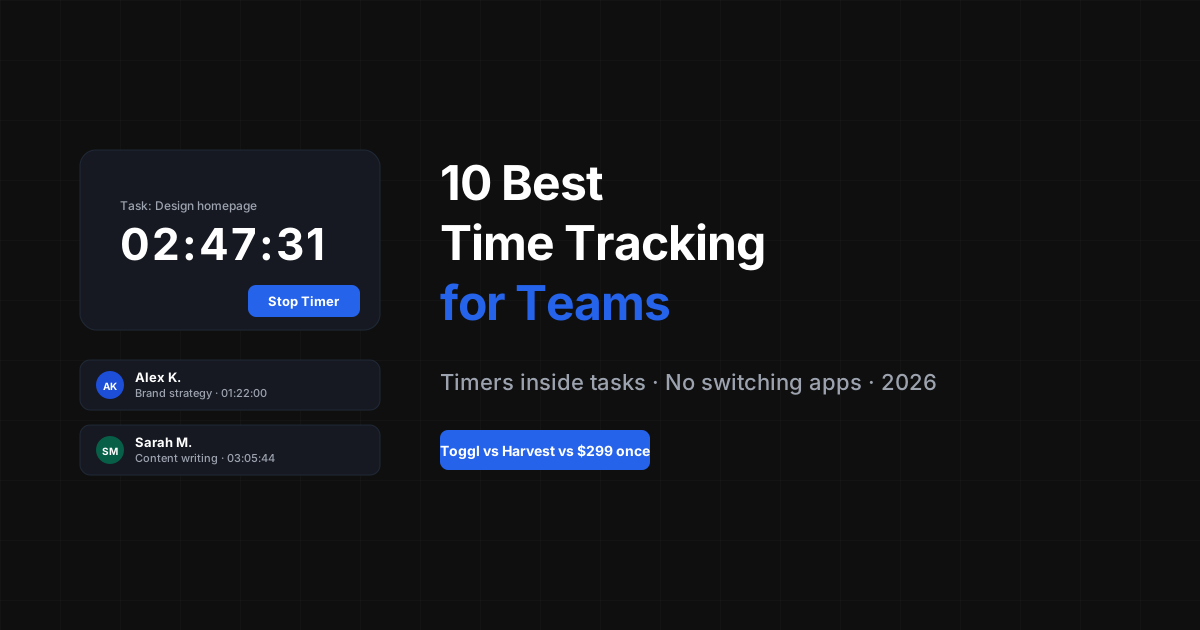
The data loss pattern is predictable. Missed starts happen at the beginning of focused work sessions — the moments when you're most engaged and least likely to interrupt yourself to switch apps. Missed stops happen during transitions — when something pulls you away from the task and the transition itself consumes the attention that would have remembered to click stop. The only way to eliminate these failure points is to remove the action entirely. A timer that starts when you open a task and stops when you close or switch it requires no additional action. The tracking is a side effect of working, not a parallel task alongside it.
Flat fee · no seat tax
Track time where your work actually happens
Melororium's built-in timers track time inside the task — automatically attributed, no context switching required. Included in the flat-fee workspace.
Teams from $29/mo
Starter $29/mo · Studio $119/mo

What Native Time Tracking Actually Changes
When the timer lives inside the task, three things change fundamentally.
- Attribution is automatic — hours attach to the specific task, not a project entry you typed from memory. No more deciding 'was that the homepage or the nav redesign?'
- Gaps disappear — there's no window between 'working' and 'tracking.' They're the same action. You can't forget to track what you can't forget to open
- Reports become trustworthy — when the data collection is accurate, the insights are actionable. You can quote based on real historical data and have the rate conversation with confidence
Melororium
Try it in Melororium
Melororium Timers — native time tracking inside every task, one-click start, automatic attribution, included in the flat-fee workspace
Toggl vs Native Time Tracking: What Actually Differs
The functional differences between a standalone timer (Toggl) and a native tracker (built into your task tool):
- Starting a timer — Toggl: open separate app, find or create project entry, click start. Native
- Attribution — Toggl: you type the project name from memory (or forget and categorize later). Native
- Stopping — Toggl: requires a deliberate action when you switch tasks or close the tab. Native
- End-of-day corrections — Toggl: common. Manually matching timer blocks to real work is a regular maintenance task. Native
- Reporting — Toggl: hours by project, client, or tag. Native (when done well)
- Cost — Toggl paid: $10/seat/month ($120/seat/year for a team). Native as part of a workspace
The Financial Case: What Missing Hours Cost
Even conservative estimates of tracking gaps are financially significant. If a team billing $75/hour misses an average of two hours per week due to standalone timer failures, that's $150/week — $7,800/year — in either untracked billable work or inaccurate rate calculations that lead to systematic underquoting. The cost of Toggl Pro ($108/year per person) versus the cost of the tracking gap it still produces is an interesting comparison. The question isn't whether Toggl is worth $108. The question is whether any standalone timer is architecturally capable of capturing the hours that happen in the transition moments — and the answer is no.
Making the Switch Without Losing Your History
If you have years of Toggl data you rely on for quoting and invoicing, the switch doesn't require abandoning it. Export your historical data before switching. Keep Toggl accessible for reference. Start native tracking for all new work going forward. After three months of native tracking, you'll have enough fresh data for quoting decisions. After six months, you'll have comparison data that demonstrates the accuracy gap between your old and new tracking methods. For most freelancers, that comparison is the most convincing data point of all.
Boards that run themselves
Kanban with subtasks, priorities and a timer on every card
Demo request from Bloom Cosmetics
Website redesign · due Oct 14