Time Tracker· Time
The timer starts right from the task.
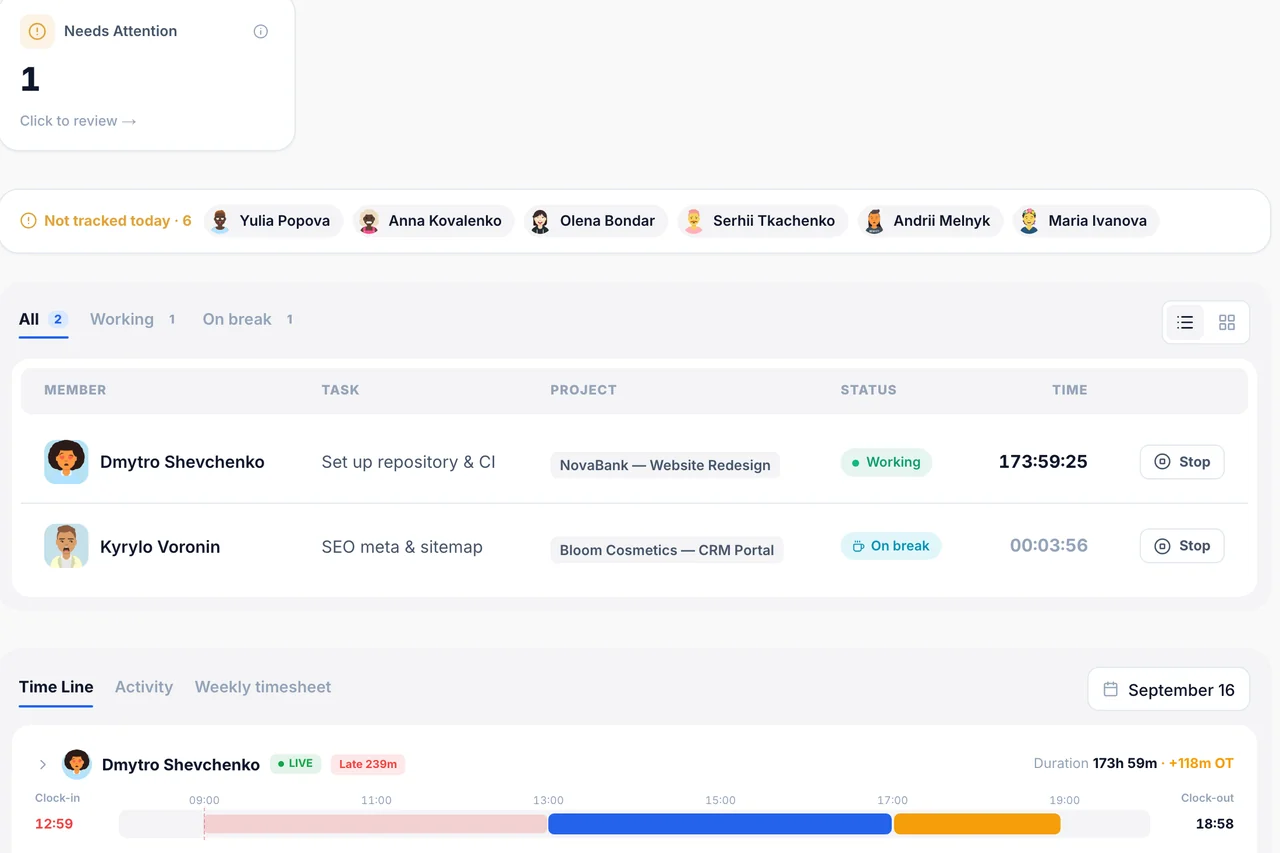
The timer starts and stops from any task's sidebar. Live Timers shows who's tracking time right now, in real time.
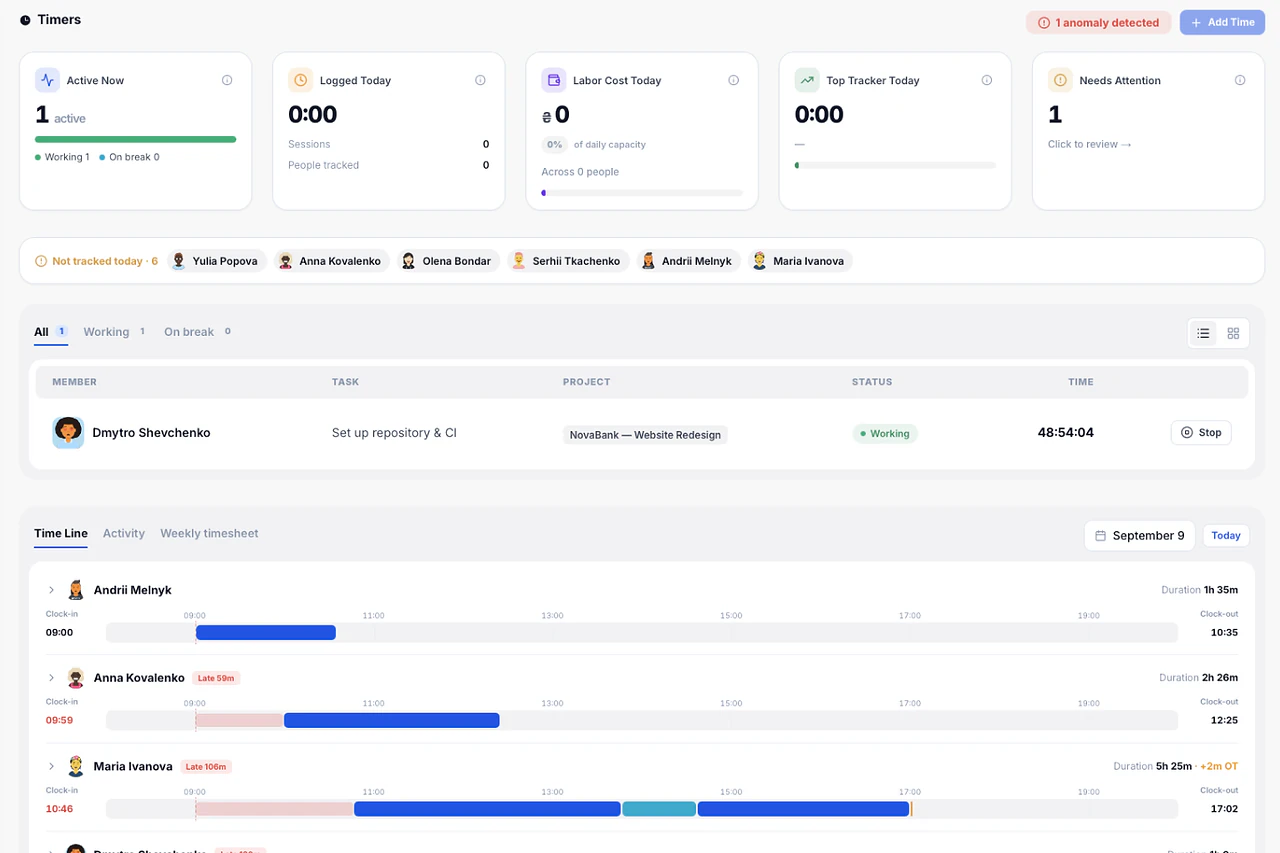
What's inside Time Tracker
3 things it does that a spreadsheet can't.
A manual time-entry option for admins, alongside the live timer.
Starting a new timer safely stops your old one first, no double-billed hours.
Live Timers respects roles — members see their own, leads see their team, admins see everyone.
Built so tracking time doesn't mean leaving the task.
A separate timer app is one more place to forget to start and stop. This one lives on the task itself.
01Manual entry
Forgot to start the timer? Log it after the fact.
Admin-only, backdate hours for anyone.
Try it in the demo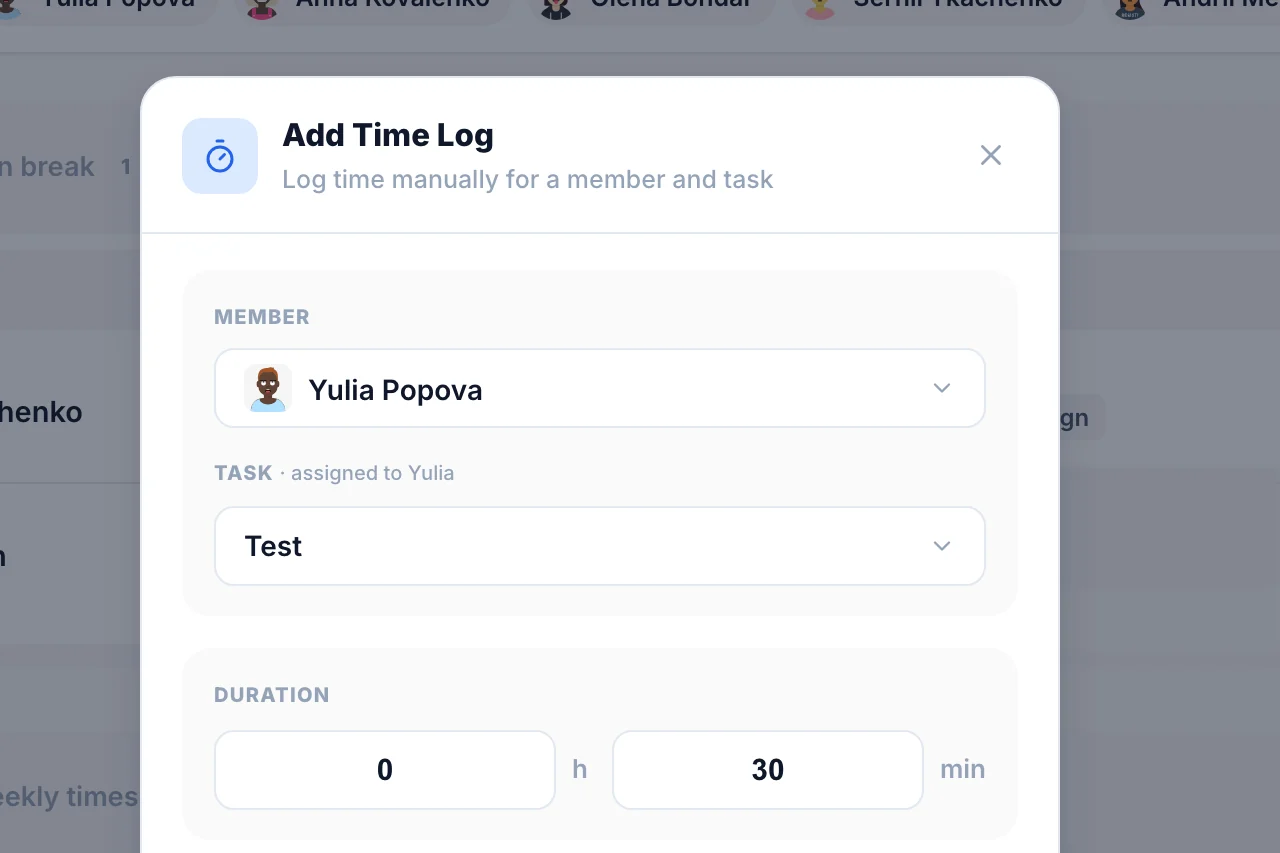
02Safety
Can't accidentally double-bill an hour.
Starting a new timer safely stops any other one running.
Try it in the demo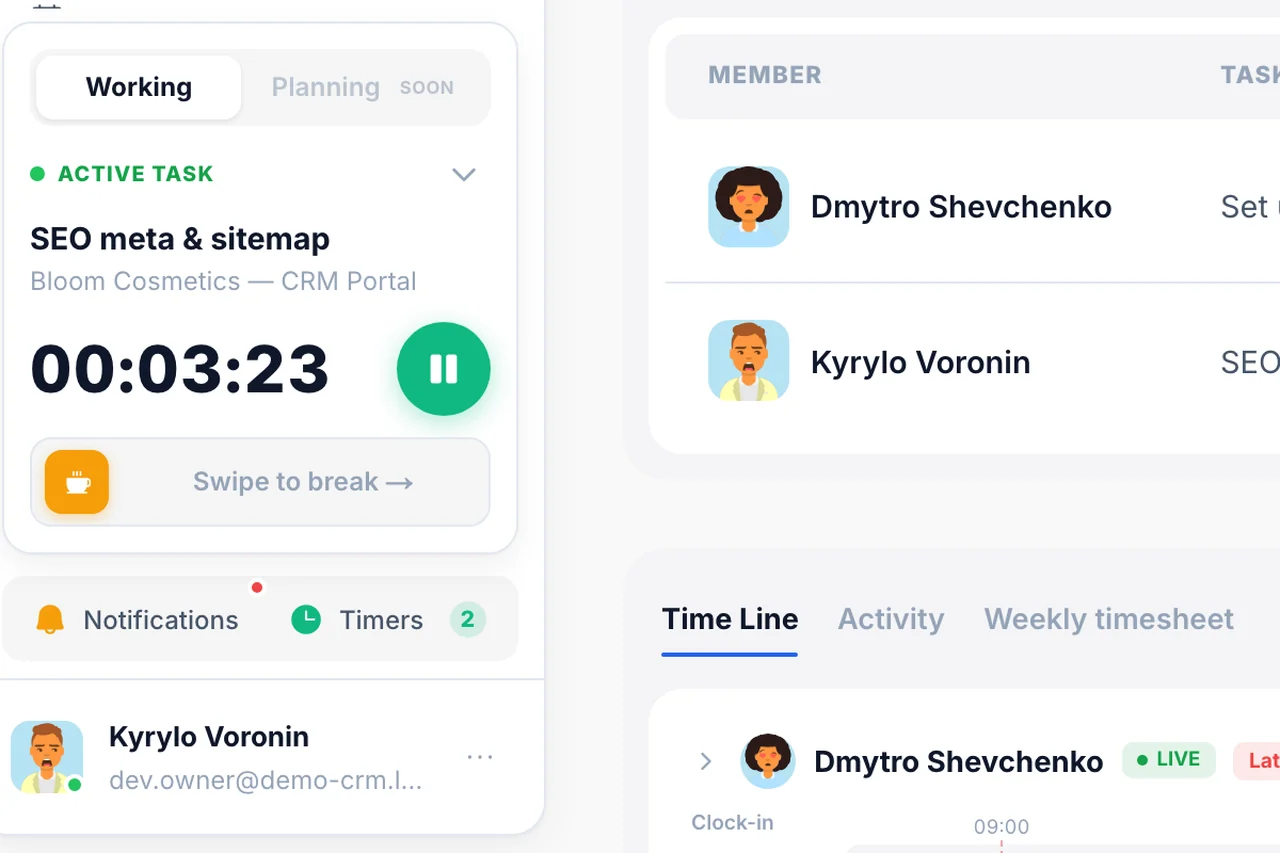
Frequently
Asked Questions
Have a question that needs a human to answer?
No problem, email us at support@melororium.com
Starting/stopping a timer from a task, and Live Timers across the team.
Depends on role.
Yes, from the task's sidebar.
Included in every plan: Starter $29/mo (4 users), Agency $59/mo (15 users), Studio $119/mo (25 users).
Live Timers shows it in real time; access depends on role.
Every instrument. One workspace.
28 tools that share one database, so an hour logged on a task shows up in reports, invoices and the dashboard without re-entry.
Flat fee · no seat tax
Ready to escape the seat-tax trap?
Tasks, timers, CRM and invoices for the whole team at one price. Start the 14-day demo — no credit card.
$0
per seat, ever
28
instruments, one login
4–25
people on one price