You Don't Need AI in Your Project Management Tool — You Need It to Just Work
Every PM tool is adding AI. Freelancers and small agencies are paying for it whether they use it or not. Here's why the anti-AI-bloat counter-trend is gaining ground — and what 'just works' actually means.
AI Is in Everything Now — Including Your Project Manager
ClickUp added AI task summaries. Notion has AI writing in every block. Asana built AI status reports. Monday.com has AI automations. Jira has AI sprint planning. Linear added AI issue triage. The race to stuff AI into every surface of every PM tool has been running for 18 months straight — and it's showing no signs of slowing. The pitch is usually the same: AI will help you save time, surface blockers faster, write update emails for you. And for some teams, some of those features genuinely add value. But there's a quieter group that's reacting differently: the people who just want a fast, reliable place to manage their work — and are finding that every new AI layer makes the tool slightly slower and more expensive. In June 2026, a thread on Hacker News called 'Why do we need AI in project management software?' surfaced this exact frustration. The top comment: 'I just need tasks, deadlines, and a way to see what's blocking what. Everything else is noise.'
"The tools that help me most aren't the ones with the most AI. They're the ones where I can find what I need in under three seconds."
What Hacker News Said: 'AI Doesn't Need to Be in Everything'
The HN thread surfaced a pattern that's been building across forums and X threads for months. A few of the most-upvoted comments: 'I've been using ClickUp for two years and I've never once opened the AI panel. It's just there, taking up space, and I'm pretty sure I'm paying for it in my plan tier.' 'The new tools like Joka.work and Sync are all launching with AI front and center. None of them have a compelling answer to: what does your tool do when the AI is off?' 'AI in PM tools solves the wrong problem. I don't have trouble writing task descriptions. I have trouble getting people to actually finish them.' This isn't anti-AI sentiment broadly. It's something more specific: fatigue with AI as a marketing layer that pads the price without changing the core experience.
Who Actually Uses AI Features in PM Tools
The honest answer: it depends heavily on the team size and workflow. Where AI in PM tools tends to add real value:
- Large teams (20+) where AI status summaries reduce meeting time — the feature actually replaces something expensive
- Teams with heavy async documentation requirements where AI-written update emails save 30+ minutes per person per week
- Engineering-heavy teams using Jira AI for sprint planning, where the AI is trained on real historical data
Flat-fee · No seat tax
Done paying per seat? Melororium covers tasks, time tracking, and client CRM for teams of 4–25 — one flat monthly price.
The Real Cost: You Pay for AI Whether You Use It or Not
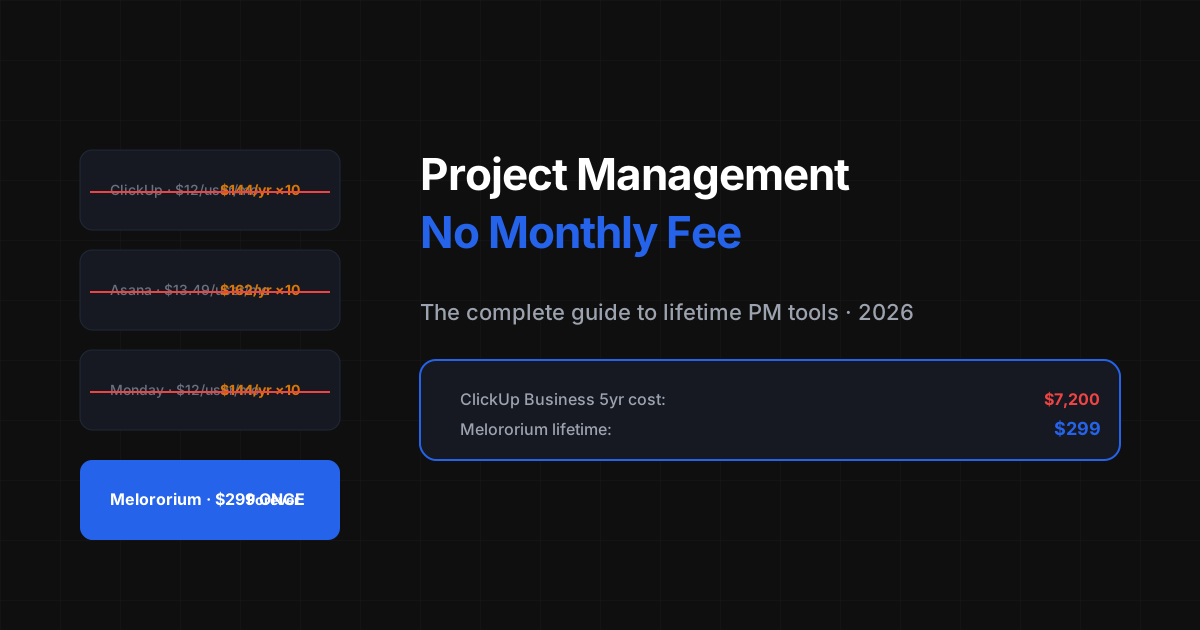
Here's the part that rarely gets discussed directly: most AI features in PM tools are gated behind upgraded plan tiers. ClickUp AI requires Business plan ($12/user/month, billed annually). Notion AI is $10/month per workspace on top of your plan. Asana AI is enterprise-only. But here's what's changing in 2026: even non-AI plan tiers are being priced against the AI tier. The baseline is getting pulled up. You're paying the premium of 'a tool that has AI' even if you specifically don't want AI. The freelancer doing $80k/year who needs task management, time tracking, and client notes is being asked to subsidize AI research and GPU costs that don't benefit their workflow. The subscription model makes this invisible — it's just your monthly bill, slightly higher than last year.
What 'Just Works' Actually Means for a Freelancer
When freelancers and small agency owners say they want a tool that 'just works,' they're usually describing a specific set of things that are NOT about AI: 1. **Fast load time** — the tool opens immediately, not after a 3-second AI context load 2. **Predictable interface** — no surprise new features or moved menu items from the last update 3. **Core reliability** — tasks show up, timers save correctly, nothing goes missing 4. **Low noise** — no upsell banners, AI nudges, or 'try this new AI feature' tooltips 5. **Offline capability** — works in the coffee shop with spotty wifi Notice what's not on that list: AI writing, AI summaries, AI sprint planning, AI anything. These aren't needs for a 3-person agency. They're features for a 30-person team with a procurement process. The irony: the tools that are adding the most AI are also the ones getting the most 'it feels slow and bloated' feedback in the past six months.
The Counter-Trend: Simple, Modular, Pay-Once
The tools gaining ground in 2026 among freelancers and small agencies are not the AI-heavy platforms. They're the ones that made the opposite bet: do fewer things, do them faster, charge once. The pattern is consistent: a solo builder or tiny team creates something minimal that solves the core 3-4 jobs — tasks, time tracking, client notes, simple reporting. They price it as a one-time payment because they don't need the retention mechanics of a subscription. They grow through word-of-mouth from people who are genuinely happy the tool doesn't have an AI assistant. This isn't a niche position. It's the natural counter-pressure to every over-engineered platform. When ClickUp's onboarding takes an hour and Notion's AI block loads every time you type, the people who just need to track their work find something simpler.
The 2026 AI-First Wave — And the New Problem It Creates
In the same week Google Trends showed 'subscription fatigue' rising 47% above its 90-day average, Product Hunt launched two new all-in-one PM tools: WorkspaceOne (187 votes) and TaskFlow AI (342 votes). Both position themselves as AI-first. Both charge per seat. This is the new version of the same old story. The pitch is different — AI summaries, AI task breakdowns, AI sprint forecasting — but the economics are identical. You pay per seat, every month, and the AI features are either gated behind a higher tier or bundled into a price that's higher than you'd pay without them. The BYOK question almost nobody asks about these tools: can you bring your own API key? Can you use Gemini instead of OpenAI? Can you turn off the AI and pay less? Almost always the answer is no. The AI is bundled. The seat fee funds the AI inference. You pay for it whether you use it or not — the exact same dynamic that's driving people away from Notion and ClickUp. The counter-position is increasingly simple: bring your own AI key (BYOK), pay once for the workspace, and don't pay a per-seat premium for AI you didn't ask for. The teams making this switch aren't anti-AI. They're anti-AI-tax.
Project management without the AI tax.
Melororium tracks your tasks, your time, and your clients — without AI in every panel, without a per-user fee, without a monthly bill. BYOK: bring your own Gemini, GPT-4, or Claude key. Just the workspace, no seat tax.