I Have 8 Remote Employees. Here's How I Know What Each One Is Working On Right Now
Remote management anxiety isn't about trust. It's about not knowing. Here's the operational setup that answers 'what is everyone working on right now?' without asking anyone.

Contents
One flat fee for the whole team
Tasks, timers, CRM and invoices in one workspace. From $29 a month, no seat tax.
Start free demo14 days · no credit card
01. The Remote Management Problem Nobody Admits
Most remote management content focuses on communication frameworks, trust-building, and async best practices. All of that is real and valuable. But underneath it there's a more specific problem that rarely gets named directly: the manager doesn't know what anyone is working on right now, and finding out requires interrupting someone to ask. In an office, this information is ambient. You see who's at their desk, what's on their screen, who's in a call. Remote work strips away the ambient layer entirely. Without an active system to replace it, the manager is operating blind and compensating with check-in calls, Slack pings, and daily standups that are essentially status-harvesting meetings dressed up as team rituals.
"I had a daily standup, a midday check-in Slack message, and an end-of-day update request. That's three interruptions per person per day just so I knew the work was happening. The team hated it. I hated it. There had to be a better way."
— Agency founder, 8-person remote team
02. Why Status Update Meetings Are a Symptom, Not a Solution
The daily standup at most remote agencies exists to answer one question: is the work happening? That question shouldn't require a meeting. When the work is visible — tasks assigned, timers running, progress trackable without asking — the standup can focus on what actually needs real-time discussion: blockers, decisions, collaboration opportunities. When the standup's primary function is status harvesting, it's an admission that the underlying visibility system doesn't exist.
03. What Live Visibility Actually Looks Like
Live visibility at the team level doesn't mean screen recording or keystroke logging. It means task-level timer data accessible to the team manager in real time. You can see that a team member has been working on 'Client A — Brand Identity — Logo Concepts' for 2 hours 14 minutes this morning. That's the information. Nothing more. From that information you know: the work is in motion, it's on the right task, and the time invested is reasonable for the stage. You don't need to ask, you don't need a meeting, and the team member wasn't interrupted.
04. The Setup: Live Timers Connected to Tasks
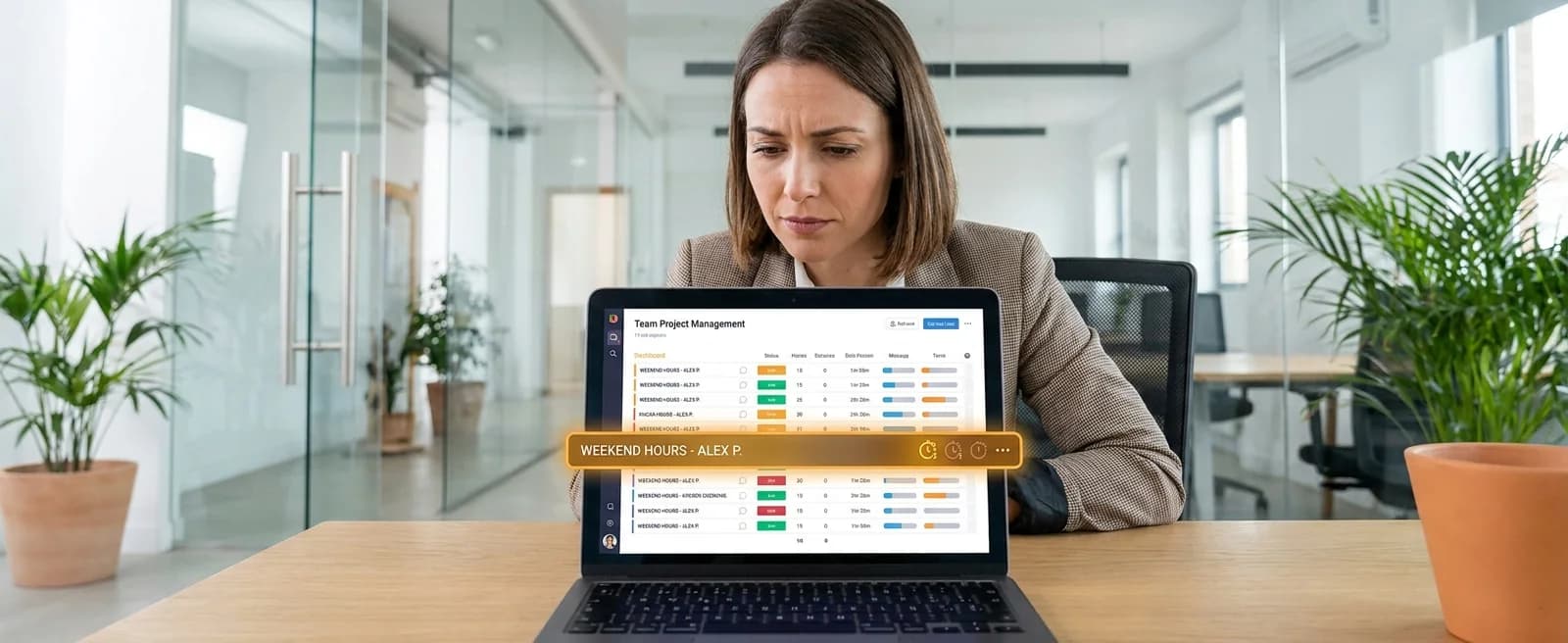
The technical setup is simple. Every task in Melororium has a built-in timer. When a team member starts working on a task, they start the timer — one click on the task they're already working in. No separate app, no context switch. The team manager sees a live view: each team member, their current task (if a timer is running), the current session duration, and the day's total logged hours. The view updates in real time as timers start and stop.
Melororium
See Your Remote Team in Real Time
Melororium Live Timers — real-time team timer view showing who is working on what, right now. Included in all plans.
Flat fee · no seat tax
See what your remote team is working on right now.
Without a single check-in message. Live timers, real-time dashboard, anomaly detection — all in one workspace.
Starter: $29/mo (4 users)
Agency: $59/mo (15 users)
Studio: $119/mo (Unlimited users)
05. What You See and When You See It
Right now (real-time view): which team members have an active timer running, what task the timer is running against, how long the current session has been running. Today (daily summary): total hours logged per team member, which tasks were worked on and for how long, any team member with no timer activity yet today. This week (weekly view): hours per person per day, which projects received attention and which didn't, any anomaly flags — unusually high hours or zero hours for multiple days.
06. The Management Behaviour That Changes
With live visibility, the behaviour that changes first is the check-in message. The 'just checking in — how's the X project coming along?' Slack ping disappears because the answer is already visible. The standup changes too — not eliminated, but refocused. When status is visible before the meeting, the meeting time goes toward the things that genuinely require synchronous discussion: 'I see you've been on the logo concepts for four hours — are you stuck or is that expected at this stage?' That's a useful conversation. 'Can everyone tell me what they're working on today?' is not.
07. What It Looks Like From the Team Member's Perspective
The concern most managers have about live timer visibility is that team members will feel surveilled. The experience in practice is different. Team members report that live timers reduce the interruptions they receive — because the manager isn't pinging them for status updates they can now see directly. The framing matters. 'We track time so our invoicing is accurate and so I don't have to interrupt you to find out how a project is going' produces buy-in. Both reasons are true — the second one is more useful to communicate.
08. The One Metric That Matters: Are Projects Moving?
The question live visibility actually answers isn't 'are people working?' It's 'are projects moving?' A team member with an active timer on a task is moving that task forward. A task with no timer activity in three days is stalled — visible in the project view whether or not the responsible person has mentioned it. This distinction matters because it shifts the manager's attention from monitoring people to monitoring project health.
Boards that run themselves
Kanban with subtasks, priorities and a timer on every card
Demo request from Bloom Cosmetics
Website redesign · due Oct 14