How to Know If Your Team Is Overworking — Before Someone Burns Out
Your best people don't announce they're burning out. They just quietly work weekends and 10-hour days until they can't anymore. Here's how to spot it in your timer data before it becomes a resignation.

Contents
One flat fee for the whole team
Tasks, timers, CRM and invoices in one workspace. From $29 a month, no seat tax.
Start free demo14 days · no credit card
01. Why Burnout Is Invisible Until It Isn't
The agency employees most likely to burn out are also the least likely to say so. Your most dedicated team members — the ones who care most about the work, who take deadlines personally, who absorb scope creep rather than escalate it — are the ones who silently work through weekends and skip lunches and push through the warning signs until something breaks. By the time burnout is visible, the damage is done. The frustrating part: the warning signals existed for months before the crisis. They existed in the time data. Weekend timer sessions. Single-day work logs running over ten hours. Weekly hour totals climbing steadily for six weeks. The data was there — there just wasn't a system for looking at it.
"Our best developer left after four months of 60-hour weeks. We had all the timer data. It just lived in a separate tool that nobody opened unless they were billing. By the time we noticed the pattern, she'd already decided."
— Operations lead, 11-person software agency
02. The Three Timer Anomalies That Predict Burnout
Not every long work session is a burnout signal. A deadline push, a launch weekend, a client crisis — these produce legitimately high hours that reflect temporary circumstances rather than structural overwork. The patterns that predict burnout are different: they're chronic, they escalate, and they're often invisible to everyone except the person experiencing them.
03. Anomaly 1: Consistent Weekend Work
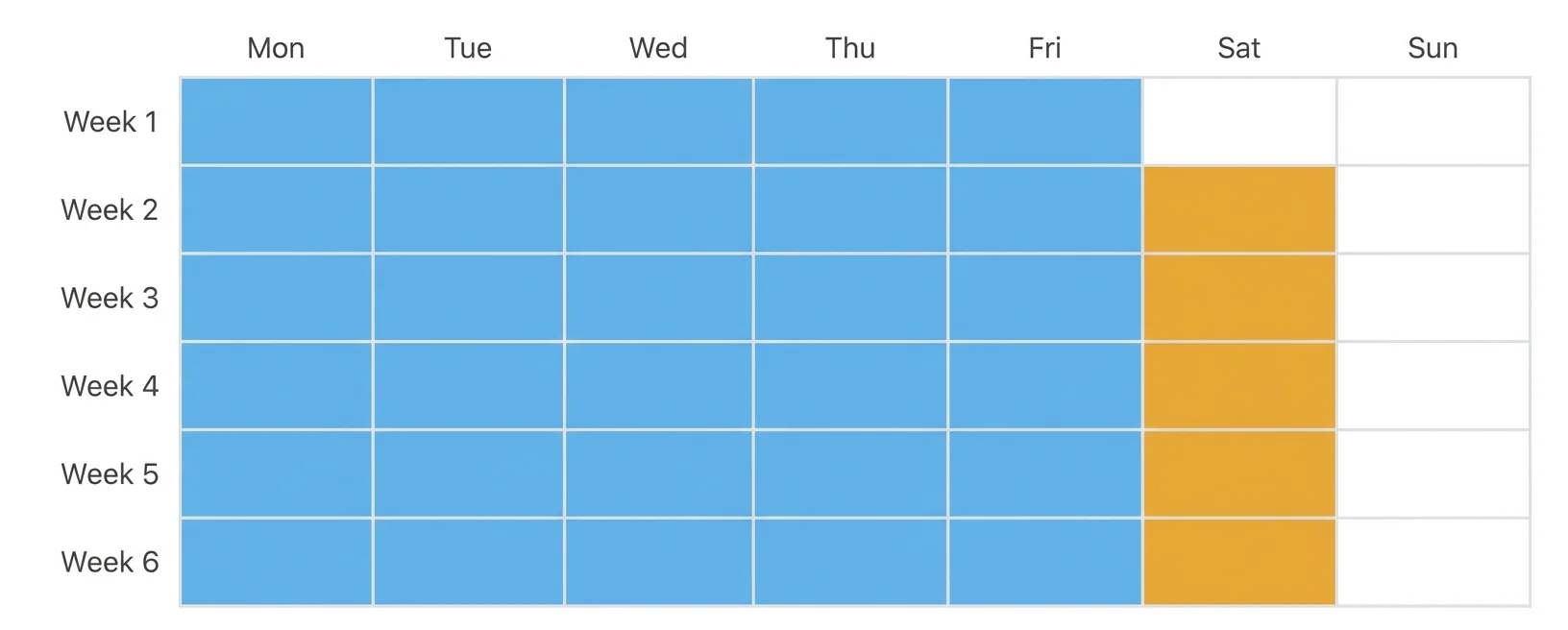
One weekend work session in a month is a deadline response. Weekend sessions appearing in two or three out of four weeks are a structural problem — work is consistently overflowing the working week, which means capacity is systematically miscalibrated. The signal to look for: timer entries on Saturdays or Sundays across two or more consecutive weeks for the same team member. This isn't about policing when people work — it's about the pattern. Someone who works every weekend because the workload demands it is telling you something about the workload, not their preferences.
04. Anomaly 2: Sessions Longer Than 10 Hours
A single-day work session logged at more than ten hours is, in most circumstances, a sign of poor workload management — either the assignment was underestimated, the deadline was unrealistic, or the team member absorbed work they shouldn't have had to complete in one session. Two or more 10-hour sessions in a week is a clearer signal. Three or more is urgent. The session length data is visible in your timer logs if you look for it — but in most agencies, nobody looks for it because the timer data exists purely for billing purposes, not for people management.
Melororium
Timer Anomaly Detection — Built In
Melororium Work Reports with anomaly detection — see weekend work, 10h+ sessions, and weekly hour trends per team member at a glance.
Flat fee · no seat tax
See who on your team is overworking — before the data becomes a resignation letter.
Timer anomaly detection, weekend work flags, and weekly hour trends — all visible without opening a spreadsheet.
Starter: $29/mo (4 users)
Agency: $59/mo (15 users)
Studio: $119/mo (Unlimited users)
05. Anomaly 3: Hours Climbing Week-Over-Week
The most predictive burnout signal isn't a single data point — it's a trend. A team member whose logged hours climb consistently week over week for a month or more is in a situation where their workload is outpacing their capacity and nothing is being done to rebalance it. The insidious version of this pattern: the weekly hours look acceptable in isolation (42 hours, 45 hours, 47 hours) but the trend is unmistakable when you look across six weeks. None of those individual weeks would trigger a concern. The trajectory across all six should.
06. What These Signals Mean (And What They Don't)
A timer anomaly is a signal for a conversation, not a conclusion. Weekend work might reflect a genuine deadline that justified it. A 10-hour session might reflect someone who lost track of time on work they loved. The data creates the opening for a check-in — it doesn't replace the judgment that has to happen in that conversation. What the signals reliably indicate: this person is working more than the standard model assumes, and you should find out why.
07. How to Have the Conversation the Data Enables
The conversation that becomes possible when you have timer data is different from the one most managers have without it. Without data: 'I wanted to check in — how are you doing? Is the workload okay?' With data: 'I noticed you had three weekend sessions in the last four weeks. Is the current project volume sustainable, or do we need to look at the timeline?' The second conversation is more direct and more useful because it's specific. It names a concrete pattern rather than asking an open-ended question that a burnt-out team member is likely to answer with 'I'm fine.'
08. Building a Weekly Hours Review Into Your Operations
The operational habit that catches burnout early: a weekly five-minute review of team hour totals, specifically looking for the three anomaly patterns — weekend work, sessions over ten hours, and week-over-week climbing totals. Agencies that do this consistently report two benefits beyond burnout prevention: they catch scope creep earlier and they make better staffing decisions — because they can see which projects are consistently consuming more than estimated.
Boards that run themselves
Kanban with subtasks, priorities and a timer on every card
Demo request from Bloom Cosmetics
Website redesign · due Oct 14