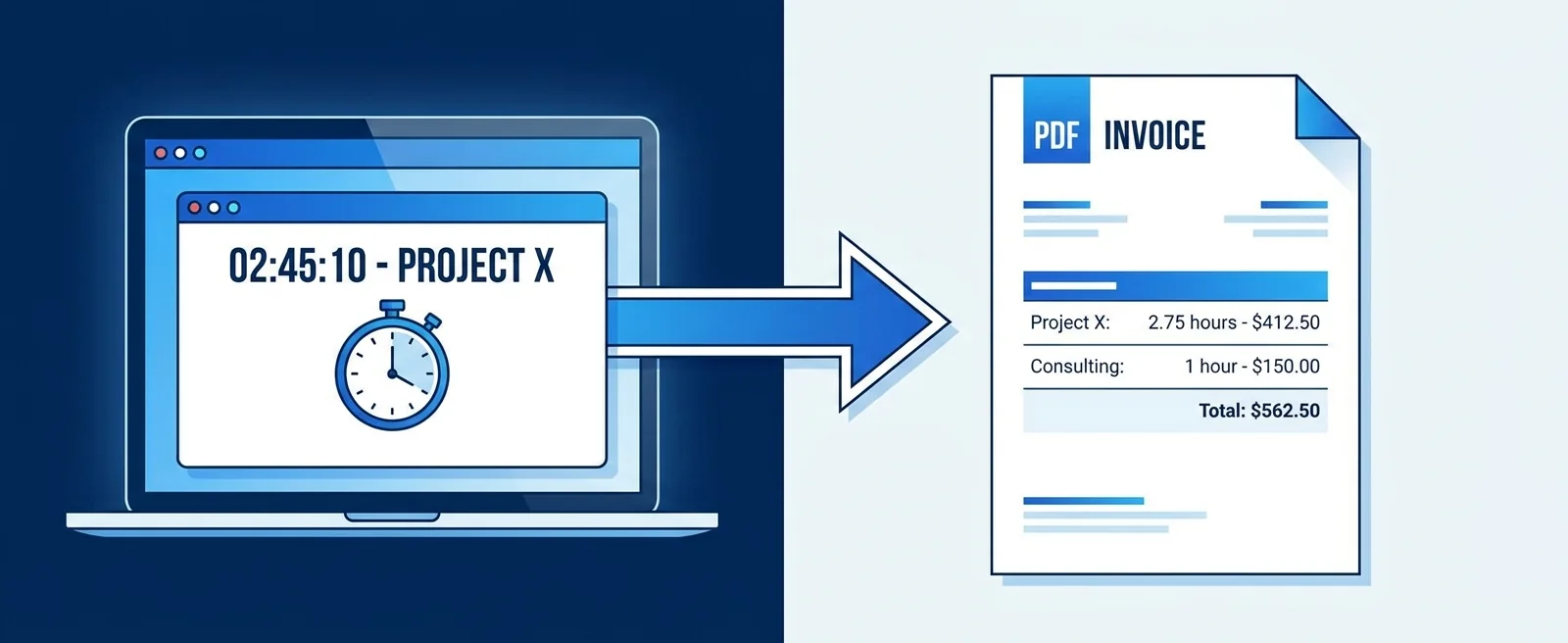
How to Turn Tracked Hours Into an Invoice Automatically (No More Copy-Paste)
You track time in one tool. You invoice in another. Between them sits a manual re-entry step that takes 30-60 minutes per client per billing cycle and introduces errors every time.

Contents
One flat fee for the whole team
Tasks, timers, CRM and invoices in one workspace. From $29 a month, no seat tax.
Start free demo14 days · no credit card
01. The Re-Entry Tax: What It Actually Costs
The re-entry tax is the time and error cost of manually transferring data between systems that should share the same information. In agency billing, it looks like this: your team tracks hours in Toggl or Harvest. At the end of the billing period, someone, usually a project manager or the owner, opens the invoicing tool, creates a new invoice, and manually types in each line item: task name, hours, rate, total. Then does the same for the next project. Then the next client. For a 10-person agency with 8 active clients, this process consumes 4-8 hours per billing cycle. Multiply by 12 billing cycles per year: 48-96 hours of senior time spent retyping data that already exists in another system. At a cost rate of $75/hour, that is $3,600-$7,200 per year in labor cost for a process that produces no client value. The error cost is harder to quantify but real: wrong hours (off by a few minutes, or a session from a different project accidentally included), stale rates (a rate that changed three months ago but the invoice template was never updated), missed tasks (a small session on a Tuesday that fell through the cracks). Each error either reduces revenue or creates a dispute.
"48-96 hours of senior time per year spent retyping data that already exists in another system, producing no client value."
02. Why Two Separate Tools Always Create Friction
The root problem is that two separate tools do not share the same underlying data, not that the re-entry process is poorly designed. Your time tracker knows about projects and tasks by the names you gave them in that tool. Your invoicing tool knows about clients and projects by the names you gave them in that tool. These two naming systems are not automatically synchronized. When you manually create an invoice line item, you are acting as the translator between two data systems that should be the same system. You are confirming that 'Website Redesign, Phase 2' in Toggl corresponds to 'Client A, Website Project' in FreshBooks. You are confirming that the rate in the time tracker matches the rate on the invoice template. You are confirming that the hours sum correctly. The translation step exists because the two tools do not share a project ID. Fix the shared ID problem by running time tracking and invoicing in the same system, against the same project record, and the translation step disappears.
03. What 'Closing the Loop' Requires Technically
For time tracking to flow into invoicing automatically, three things need to be true in the same system.
- Tasks and projects are shared objects: a task that exists on the project board is the same task that gets time logged against it, which is the same task that can appear as an invoice line item
- Rates are stored at the task or project level, so when a task goes onto an invoice, the rate is already attached to it, not manually entered at invoice creation time
- Filtering works by billing period: you can select a date range and pull every logged hour in that range for a specific client, without manually identifying and adding each task
04. Decision Point 1: Tasks That Span Two Billing Periods
A task starts in October and finishes in November. You bill monthly. Which month does the time appear on? The answer depends on your billing model. If you bill for hours as they are logged (accrual billing), the October hours go on the October invoice and the November hours go on the November invoice, regardless of when the task is marked complete. If you bill for completed deliverables (milestone billing), the task appears on the first invoice after it is marked done. Most time-tracking-to-invoice automation defaults to the accrual model because it is simpler: time logged in a period appears on that period's invoice. If you use milestone billing, you need a system that can filter by task completion date rather than log date, which is a different type of query. Decide this before you set up your invoicing workflow, not after you have already generated a month's worth of invoices and need to reconstruct which hours belong where.
Flat fee · no seat tax
Stop retyping hours into invoices.
Melororium connects time tracking and invoicing in one workspace: load tasks for the period, review, send. No re-entry, no reconciliation between two tools.
Starter: $29/mo (4 users)
Agency: $59/mo (15 users)
Studio: $119/mo (Unlimited users)
05. Decision Point 2: Non-Billable Time That Shouldn't Appear on the Invoice
Your time tracker captures all hours: billable client work, internal meetings, admin time, proposal writing. Your invoice should only contain billable client hours. The filtering between these two categories needs to happen somewhere, and if it is not enforced by the system, someone has to do it manually every billing cycle. The cleanest setup: every time entry is tagged as billable or non-billable at the moment of logging. When you generate an invoice, the system filters automatically, so only billable hours for this client in this period appear on the draft invoice. You review, not reconstruct. The common failure mode: teams mark time as billable or non-billable inconsistently, or forget to mark it at all, and the invoice draft contains hours that should not be there. The reviewer catches some, misses others. The client gets invoiced for an internal meeting that accidentally got tagged to their project.
06. Decision Point 3: Rate Changes Mid-Project
Your billing rate increases on September 1. A project that started in August is still active. Which rate applies to September hours, the old rate or the new one? If rates are stored at the invoice line item level (you manually enter them each time), this is not a problem: you type the new rate in September. If rates are stored at the project or task level and auto-populated onto invoices, you need a way to update the rate and have it apply only to future hours, not to already-logged hours. This is one of the cases where automated invoicing requires more upfront configuration than manual invoicing, even though it is faster in steady state. Get the rate-change handling right before you automate, otherwise your automation will apply stale rates to new hours or correct rates to historical hours, both of which create invoice disputes.
07. How Melororium's Load Tasks for Period Works
Melororium stores tasks, time entries, and invoices against the same client and project record. When you open a new invoice for a client and click 'Load tasks for period,' you select a start and end date. The system pulls every task that has billable time logged against it in that date range for this client, with the task name, logged hours, and the rate configured for that task or project. The result appears as a draft invoice line item list. You can review each line, remove tasks that should not be billed this cycle, adjust hours if a logging error occurred, and confirm. The invoice sends from the same interface, with no copy-pasting to a separate invoicing tool. Non-billable time is excluded automatically if tasks are tagged correctly. Tasks that span billing periods appear on the invoice for the period in which the hours were logged. Rate changes take effect from the date you update the rate in the project settings, and historical entries retain the rate they were logged at.
08. Frequently Asked Questions
What is the re-entry tax in agency billing? The re-entry tax is the time cost of manually transferring time tracking data from a time tracker to an invoicing tool. For a typical agency with 8 active clients billing monthly, this process takes 4-8 hours per billing cycle. Over a year, that is 48-96 hours of senior labor spent retyping data that already exists in another system, producing no client value and introducing errors at every step. How do I stop copy-pasting from my time tracker to my invoices? The only way to eliminate the copy-paste entirely is to run time tracking and invoicing in the same system, against the same underlying project and task records. When the two systems share a project ID, time logged against a task can automatically populate an invoice line item without any manual re-entry. If you use separate tools, the best you can do is structured CSV export and import, which reduces the time but does not eliminate the verification step. What should I do with non-billable time when invoicing? Mark every time entry as billable or non-billable at the point of logging, not at the point of invoicing. When the invoice is generated, non-billable hours are automatically excluded without anyone having to identify and remove them manually. If you try to separate billable from non-billable at invoice creation time, you will miss entries and either overbill (including internal hours) or underbill (leaving out hours you meant to bill). Does automated invoicing work for retainer clients? Yes, with one adjustment. On a fixed retainer the invoice total is set by the agreement, not by the hours, so the loaded time entries act as the delivery record attached to the invoice rather than as the line items that calculate the amount. This is still worth automating: it shows the client what the retainer covered that month and shows you whether delivered hours are drifting above what the retainer prices. What happens if someone logs time after the invoice is sent? Those hours stay in the period they were logged in and appear on the next invoice as a clearly labelled line. Editing an already-sent invoice creates reconciliation problems between your records and the client's, so the cleaner practice is a next-cycle line item plus a short note to the client when the amount is unusual.
Boards that run themselves
Kanban with subtasks, priorities and a timer on every card
Demo request from Bloom Cosmetics
Website redesign · due Oct 14