Project History· Projects
Who changed what, and when, logged automatically.
Project History is a timeline of real actions: task creation, updates, moves, completions and deletions. Filter by action type or by a person's name.
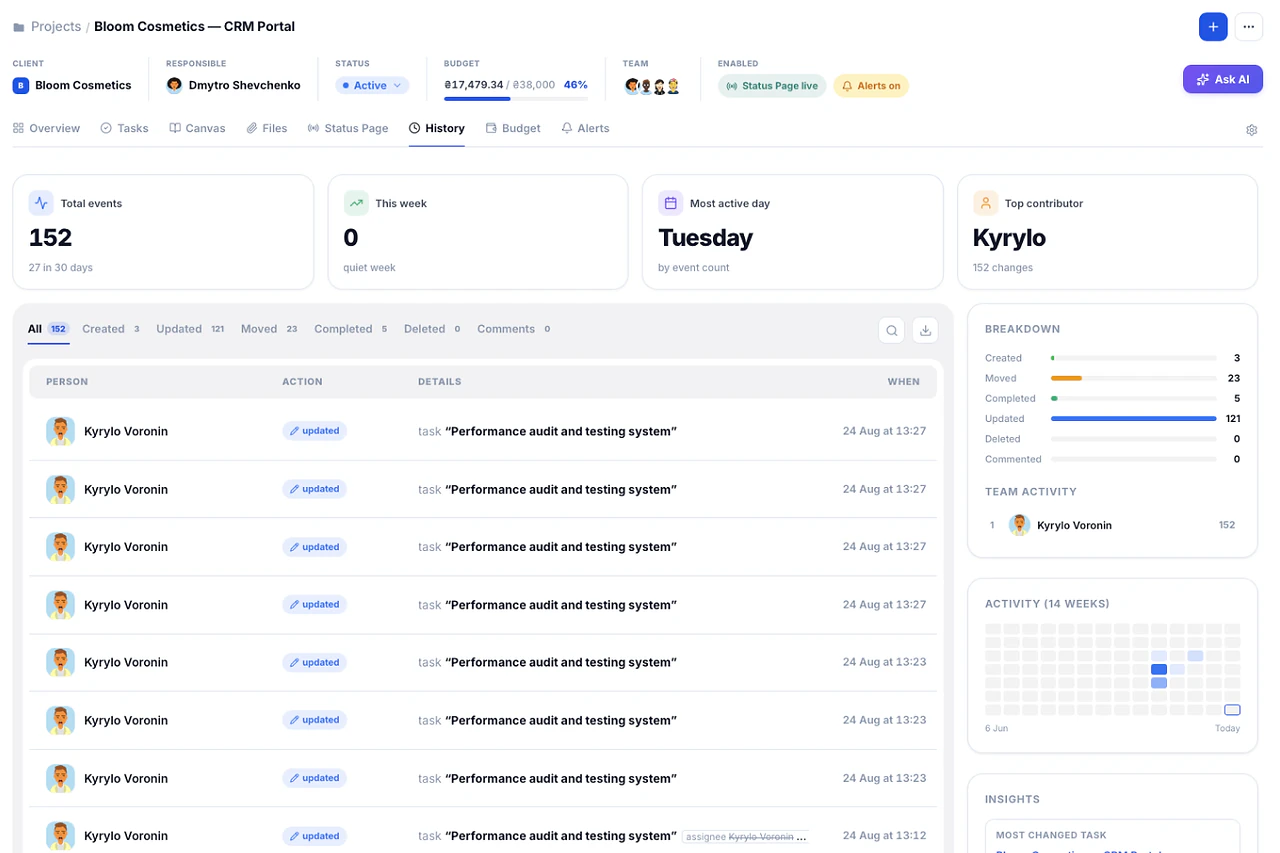
What's inside Project History
4 things it does that a spreadsheet can't.
One click from the History tab.
A 14-week contribution heatmap shows exactly when the project was actually worked on.
"Most changed task" and "Most active day" surface automatically, no digging required.
Click a name, see only their changes.
Built so scope disputes end with a record, not a memory.
Most "who changed this" arguments run on memory and screenshots. Project History keeps the actual timeline of what moved and when.
01Export
Your project's history, out the door in one click.
CSV, JSON, or a full workspace backup.
Try it in the demo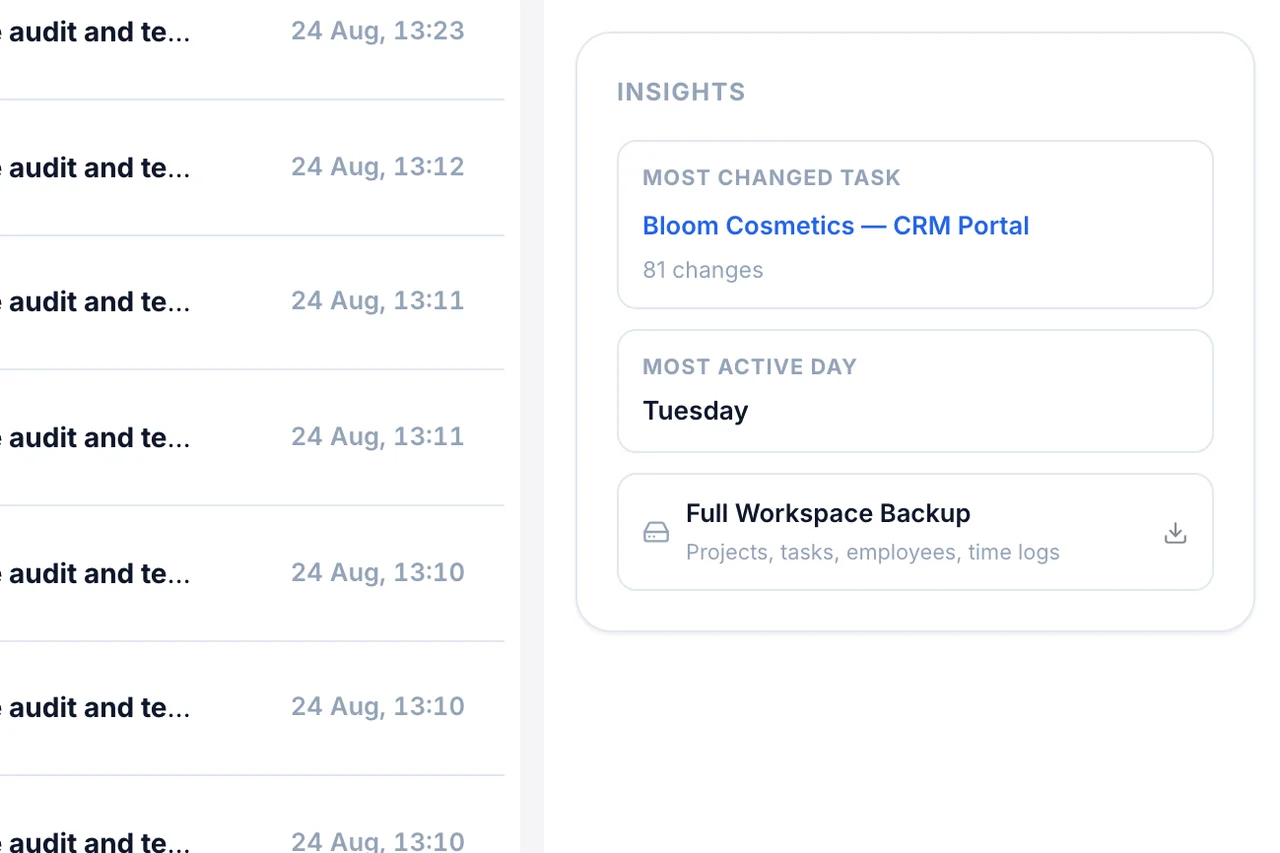
02Patterns
See the project's real rhythm, not just a list.
A 14-week heatmap shows exactly which days had real work, GitHub-style.
Try it in the demo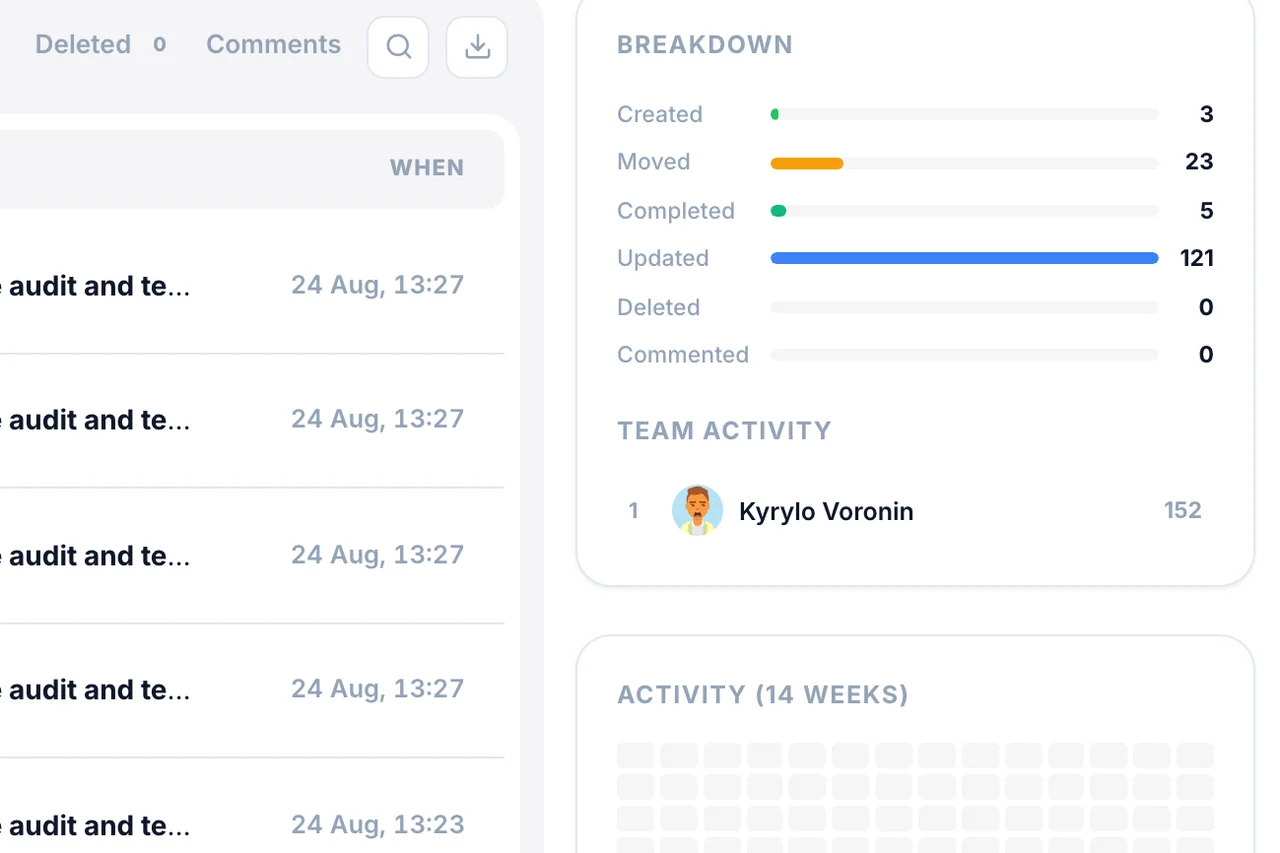
03Contributors
Click a name, see their changes.
A ranked leaderboard filters the timeline instantly.
Try it in the demo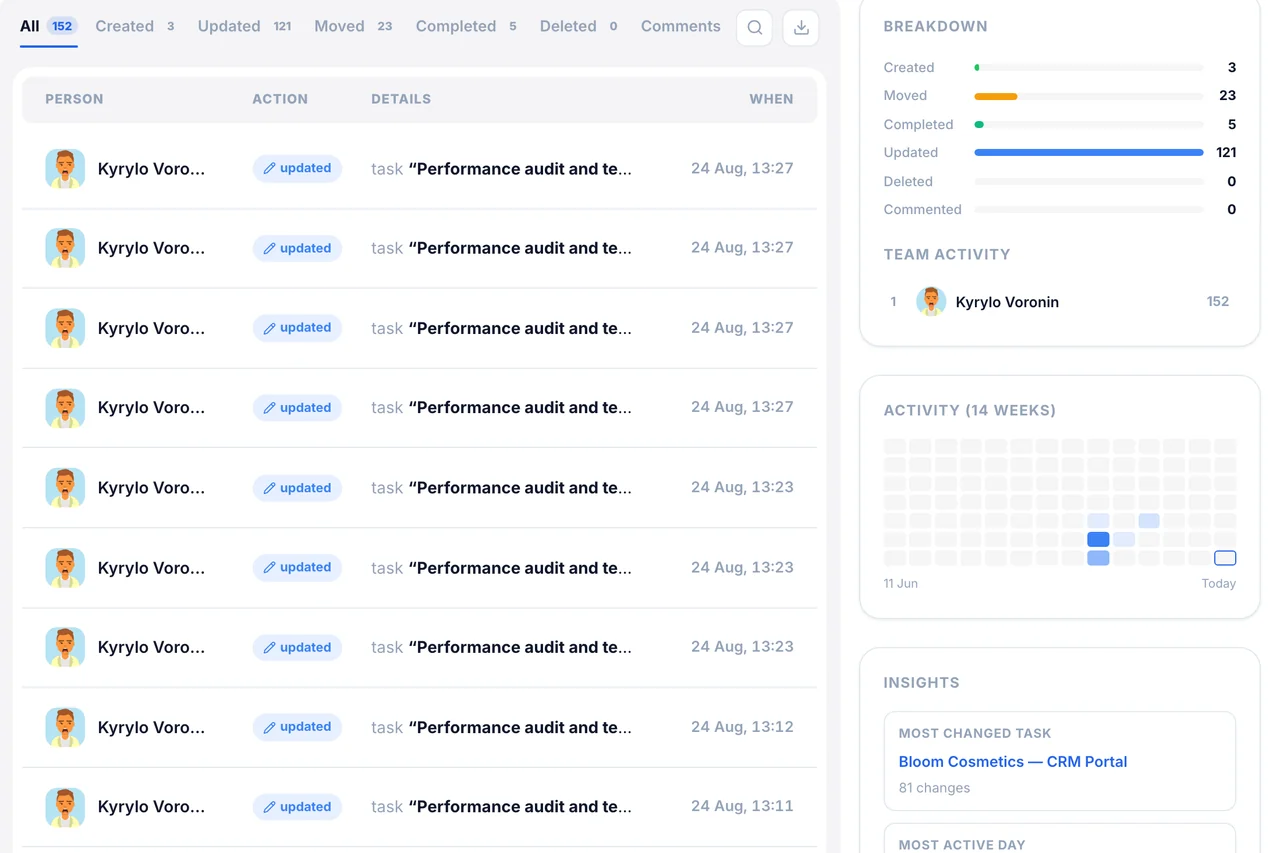
Frequently
Asked Questions
Have a question that needs a human to answer?
No problem, email us at support@melororium.com
A timeline of real actions on tasks — creation, updates, moves, completion, deletion — with who did it and when.
No. The "commented" filter tab exists but comments never show in the timeline. Files aren't logged either.
Included in every plan: Starter $29/mo for 4 users, Agency $59/mo for 15 users, Studio $119/mo for 25 users.
No direct date filter; filter by action type or search by name.
No. Comments aren't logged as events, even though the filter tab exists. Files aren't logged either.
Every instrument. One workspace.
28 tools that share one database, so an hour logged on a task shows up in reports, invoices and the dashboard without re-entry.
Flat fee · no seat tax
Ready to escape the seat-tax trap?
Tasks, timers, CRM and invoices for the whole team at one price. Start the 14-day demo — no credit card.
$0
per seat, ever
28
instruments, one login
4–25
people on one price