Team Workspace Demo: Watch 7 Tools Before You Sign Up
7 team workspace demos — watched and summarized so you don't have to sit through 40-minute sales calls. ClickUp, Notion, Asana, Monday, Teamwork, Wrike, and Melororium.

Contents
One flat fee for the whole team
Tasks, timers, CRM and invoices in one workspace. From $29 a month, no seat tax.
Start free demo14 days · no credit card
What Team Workspace Demos Don't Show You
Every project management tool has a demo. Most of them show you the same things: a clean Kanban board, a satisfied team member moving a card, a reporting screen with green numbers. What the demos skip: the pricing page. Specifically, what happens to your monthly bill when you add a new team member in month 3. ClickUp: +$12/user/month. Asana: +$10.99/user/month. Monday.com: +$12/user/month. Notion: +$8/user/month. Hire 3 people this year and ClickUp sends you an invoice for $432 more annually — for software you were already paying for. This article covers 7 team workspace demos in plain terms: what each tool actually shows, what each tool deliberately obscures, and which one makes sense for a team of 4–30 people doing client work.
"The demo they show you is the best-case version. The billing page is the honest version."
Melororium — Start a 14-Day Demo Right Now, No Sales Call
Unlike every other tool on this list, there is no demo request form, no scheduled Zoom call, no 40-minute walkthrough with a sales rep. You register, your workspace is live in 90 seconds, and you have full access to every feature for 14 days. No credit card required. What you actually see inside: The Dashboard shows your team's active projects, budget burn rates, and upcoming deadlines on a single screen. The Kanban has global view (all tasks across all projects) and per-project boards with subtasks, assignees, and due dates. The Time Tracker is embedded inside every task — click start, work, click stop. Hours accumulate automatically against the project. The CRM holds your client records with retainer values, linked projects, and payment history. Invoices are generated from logged hours in one click — the PDF goes out with your client's name, project breakdown, and total. Work Reports show utilization per team member, budget consumed vs remaining, and flags any anomaly (team member logged 0 hours on a billable project this week). Pricing: Agency plan $59/mo flat for 15 users. Add people — price stays $59.
- Dashboard: KPI overview, budget burn, project health — live on login
- Kanban: global + per-project, subtasks, drag-and-drop, bulk operations
- Time Tracker: embedded in every task, no separate Toggl tab
- CRM: client cards with retainer value, linked projects, payment status
- Invoices: PDF generation from logged hours in one click
- Work Reports: team utilization, anomalies, PDF/Excel export
- Calendar: tasks + payment dates + team time off in one view
Melororium
Try it in Melororium
14-day free demo — full access, no credit card, no sales call. Agency plan: $59/mo for 15 users.
ClickUp Demo: What They Show and What It Costs
ClickUp's demo page offers three videos broken down by role: Teams, Executives, and Managers. Each runs 3–5 minutes and shows a polished Kanban board with color-coded priorities, a Gantt view, and a dashboard with resource allocation. What the demo shows well: the breadth of ClickUp's view options (15+ task views), the AI-powered task descriptions, and the automation builder. What the demo skips: ClickUp has no native invoicing. No client CRM. No billing. If you're an agency that needs to bill clients for hours, you're adding Harvest ($640/year) or Toggl Track ($228/year) on top. Cost for 10 users (Unlimited plan): $120/month = $1,440/year. Every new hire adds $12/month to the annual bill.
- Strong: 15+ task views, automation builder, extensive integrations
- Weak: no invoicing, no client CRM, no billing — requires add-ons
- Demo format: 3 pre-recorded videos, option to book 1
- 10 users annual cost: $1,440/year (Unlimited plan)
Asana Demo: Video-Only, No Booking Required
Asana's demo page is minimal — four feature highlights with a 'Watch demo videos' button. There's no booking form, no 1:1 call option. You watch a 6-minute recorded overview that covers project timelines, task assignments, and AI-generated workflow suggestions. What the demo shows well: Asana's timeline view is genuinely strong for project planning. The goals-tracking feature (linking team tasks to company objectives) is well-presented. What the demo skips: Asana has no native time tracking on any plan. No invoicing. If you're an agency tracking billable hours, Asana is a project management tool that requires Harvest or Toggl running alongside it. Cost for 10 users (Starter plan): $109.90/month = $1,318/year.
- Strong: timeline/Gantt view, goals tracking, clean UI
- Weak: no time tracking on any plan, no invoicing, no client CRM
- Demo format: pre-recorded video, no interactive access without signup
- 10 users annual cost: $1,318/year (Starter plan)
Monday.com Demo: 'Get Started' Replaces the Demo Page
Monday.com has no dedicated demo page. Their primary CTA is 'Get Started' — a free account with limited features. For a proper look at the full product, you either sign up or book a sales call through 'Contact Sales.' What the product shows when you're inside: Monday is a highly customizable work OS with a strong automation engine. The board builder is flexible. The dashboard reporting is solid for executive-level visibility. What Monday hides until you're deep in it: the real cost. Monday Standard is $12/user/month for basic features. To get time tracking, you need the Pro plan at $19/user/month — $2,280/year for 10 users. That's before any CRM or invoicing add-ons. Cost for 10 users (Pro, with time tracking): $190/month = $2,280/year.
- Strong: board flexibility, automation, executive dashboards
- Weak: time tracking only on Pro plan, no native invoicing
- Demo format: no dedicated demo page — free signup or sales call
- 10 users annual cost: $2,280/year (Pro with time tracking)
Flat fee · no seat tax
14-day free demo. No credit card. No sales call.
$59/mo · 15 users · flat fee. Tasks, time tracking, CRM, invoicing — all included.
Notion Demo: Four Videos, No Interactive Access
Notion's demo page shows four short videos covering AI workflow optimization, goal-setting, cross-functional collaboration, and efficiency scaling. The videos are polished and concept-heavy — you see what Notion can become after extensive setup, not what you'll have on day one. What the demo shows well: Notion AI feels genuinely useful in the videos. The flexible database structure (Notion's core) is demonstrated with clean real-world examples. What the demo skips entirely: Notion AI is not included in any base plan. It's an $8/user/month add-on — for a 10-person team, that's $960/year extra on top of the base $960/year (Plus plan). Total: $1,920/year. And Notion still has no native time tracking. Cost for 10 users (Plus with AI): $160/month = $1,920/year.
- Strong: flexible databases, Notion AI (when you pay for it), clean editor
- Weak: no time tracking on any plan, no invoicing, AI is a paid add-on
- Demo format: four pre-recorded concept videos, no interactive trial without signup
- 10 users annual cost: $1,920/year (Plus + AI add-on)
Teamwork Demo: Video + 'Book a Demo' for the Full Picture
Teamwork targets agencies specifically — their demo page leads with 'AI-Powered Professional Services Automation' and features video testimonials from agency owners. The demo video shows resource management, project tracking, and client billing workflows. What the demo shows well: Teamwork is one of the few tools that demonstrates invoicing and client billing in the demo itself. The resource planning view (capacity management) is strong. What the demo doesn't front: Teamwork's pricing starts at $13.99/user/month for the Deliver plan. For 10 users with billable time tracking and invoicing, you need Grow at $19.99/user/month — $2,398/year. Cost for 10 users (Grow plan): $199.90/month = $2,398/year.
- Strong: agency-focused, shows invoicing in demo, resource capacity planning
- Weak: expensive at scale, per-seat model same as competitors
- Demo format: video + 'Book a demo' call option
- 10 users annual cost: $2,398/year (Grow plan with invoicing)
Wrike Demo: Form-Gated, Requires Name and Phone
Wrike's demo page requires you to submit a form before watching anything: first name, last name, work email, phone number, company, department, job title, and how you heard about Wrike. After submission, you watch a high-level overview video. What the demo shows: Wrike positions itself as an enterprise-grade work management platform. The demo covers AI-assisted project risk detection, advanced reporting, and team workflow automation. What the demo skips: no invoicing, no native time tracking on standard plans. Wrike's Business plan is $24.80/user/month — $2,976/year for 10 users. Cost for 10 users (Business plan): $248/month = $2,976/year.
- Strong: enterprise-grade reporting, AI risk detection, advanced automations
- Weak: high price, form-gated demo, no invoicing, limited time tracking
- Demo format: form submission required (name, phone, company, role)
- 10 users annual cost: $2,976/year (Business plan)
Which Team Workspace to Actually Try First
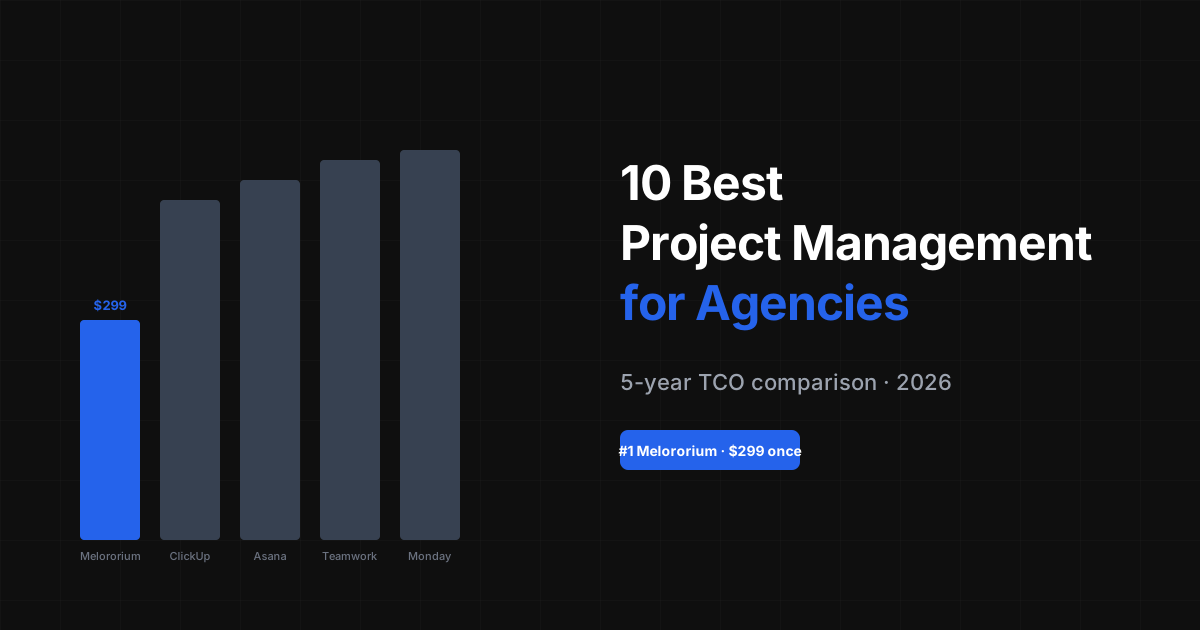
Here's the honest comparison table for a 10-person agency or studio that needs tasks, time tracking, and client invoicing: Wrike: $2,976/year (no invoicing) Teamwork: $2,398/year Monday.com Pro: $2,280/year (no invoicing) Asana Starter: $1,318/year (no time tracking, no invoicing) ClickUp Unlimited: $1,440/year (no invoicing) Notion Plus + AI: $1,920/year (no time tracking, no invoicing) Melororium Agency: $708/year (tasks + time tracking + CRM + invoicing included) If your team needs tasks, time tracking, and client invoicing in one workspace — most tools charge you $1,300–$3,000/year and still require a separate invoicing tool. Melororium covers the full workflow for $708/year flat. The 14-day demo is live access, not a video — start today, see the whole product, decide with real data.
Melororium
Try it in Melororium
Melororium Agency — $59/mo for 15 users. Tasks, timers, client CRM, and invoice generation. Full 14-day demo, no credit card.
Boards that run themselves
Kanban with subtasks, priorities and a timer on every card
Demo request from Bloom Cosmetics
Website redesign · due Oct 14