Do You Need a CRM? (Or Is Your Task Tool Already One?)
The spreadsheet with client names, contact emails, and a status column works well for 3 clients. At 12 clients, it's a source of risk. Not because spreadsheets are bad, but because they don't connect client information to project history, invoices, or the team member who took the last client call.

Contents
One flat fee for the whole team
Tasks, timers, CRM and invoices in one workspace. From $29 a month, no seat tax.
Start free demo14 days · no credit card
01. What a CRM Does (Not the Definition, the Operational Function)
This article is a decision piece: should your agency invest in a dedicated CRM? If you want the formal definition of what a CRM is, the glossary covers that. Operationally, a CRM does one thing: it ensures that everyone on the team who interacts with a client has access to the same history of that relationship. The last conversation. The open invoices. The projects completed and in progress. The notes from the last call. Without that shared history, two team members can contradict each other in client conversations, invoices can go out without awareness of an open dispute, and a client relationship can deteriorate in ways that only become visible when the client leaves.
"Paying $50/user/month for Salesforce to manage 15 client relationships means paying for a skyscraper to house a two-room office."
02. Signs a Spreadsheet Has Stopped Working as a Client System
The spreadsheet doesn't fail dramatically. It accumulates small failures that each seem manageable until the cumulative effect becomes visible. Sign 1: Two team members give a client conflicting information The account manager told the client the project starts Monday. The PM thinks it starts Wednesday because the brief is still incomplete. Neither checked a shared record. The client notices the inconsistency and loses confidence in the agency's coordination. Sign 2: You cannot answer a basic client question without asking someone "What did we charge for the rebrand last year?" requires finding the invoice email. "Who is their technical contact for the website project?" requires asking the developer who worked on it. If answering client questions requires hunting through email or asking colleagues, the information isn't in a system, it's in people's heads. Sign 3: A new team member takes three weeks to become useful on a client Because the context, who the client is, what the relationship history is, what projects are in progress, what sensitivities exist, sits scattered across email threads, Slack conversations, and the memory of the person they replaced. Sign 4: Invoicing requires manual reconciliation The person creating the invoice checks the time tracker, checks the project board, checks the expense log, and checks the previous invoice to make sure nothing was missed. Each check is a separate system. One source of truth would make the check a single step. Sign 5: You have lost track of which clients are active The spreadsheet shows 22 clients. But 7 of them are from engagements that ended, 4 are prospects that never signed, and 3 are clients in the middle of a project. Distinguishing these requires reading each row carefully. A CRM with status fields makes this visible in one scan.

03. What You Need vs What Enterprise CRM Sells You
Enterprise CRM platforms, Salesforce, HubSpot, Pipedrive, are built for organizations with dedicated sales teams managing hundreds of leads through multi-stage pipelines, with marketing automation, lead scoring, and sales forecasting. These are real needs for large sales organizations. A 12-person agency doesn't have a sales team. It has the owner and maybe an account manager. The pipeline is informal: a prospect mentioned in a team meeting, a proposal being prepared, a contract being negotiated. The CRM requirement is much simpler: client contacts, project history, invoices, and files, all in one place. Paying $50/user/month for Salesforce to manage 15 client relationships means paying for a skyscraper to house a two-room office. The features outside the two rooms generate maintenance cost without utility.
04. When Your Project Tool Is Already a CRM
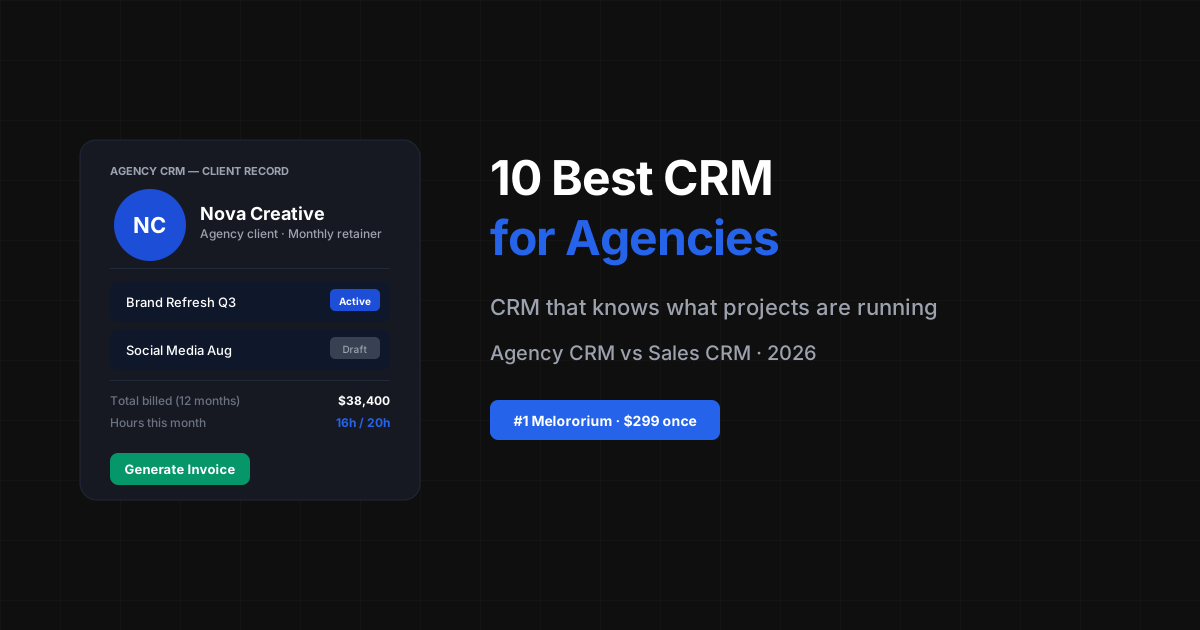
A project management tool that stores client records, not only projects, is functionally a CRM for agency purposes. The requirement is that the client record contains: contact information, project history (which projects, what status, what was delivered), invoice history (what was billed, what was paid, what's outstanding), uploaded files (contracts, briefs, approved deliverables), and health status (is this an active relationship, an at-risk one, a dormant one). When those five data types live in a client record that the whole team accesses in the same tool they use to manage projects, the separate CRM subscription becomes redundant.
Flat fee · no seat tax
One client record the whole team reads from.
Melororium's Clients module is a built-in CRM: contacts, project history, invoices, files, and health status in the same workspace as the projects.
Starter: $29/mo (4 users)
Agency: $59/mo (15 users)
Studio: $119/mo (Unlimited users)
05. What Melororium's Clients Module Includes
Melororium's Clients module is a built-in CRM for agencies managing 4-25 people. Each client record contains:
- Contact information: primary contact, billing contact, technical contact, phone, email
- Project history: all projects linked to this client, with status and completion date
- Payment history: all invoices, payment status, outstanding balance
- Files: uploaded contracts, signed briefs, approved deliverables, in the Drive tab
- Health status: calculated from activity signals, active tasks, recent communication, open invoices, displayed as a health score
06. The Decision: Separate CRM vs Built-In
The case for a separate CRM: your agency has a real sales operation, a pipeline of 30+ prospects being actively managed, multiple salespeople, and needs for lead scoring, marketing automation, or deep analytics. In that case, a dedicated CRM like HubSpot serves a purpose your project tool can't. The case for a built-in CRM: your agency's client base stays relatively stable (not replacing 40% of clients per year), your sales process is informal, and the primary pain point is coordination among the existing team about existing clients. In that case, a CRM that lives in the same tool as project management and invoicing eliminates the tool-switching and data-reentry that a separate CRM creates. The question to ask: where do client relationships live in your current workflow? If the answer is "in the project tool, but also in email, also in a spreadsheet, also in the account manager's memory," that's the problem a built-in CRM solves.
Melororium
Try it in Melororium
Melororium's Clients module is a built-in CRM: contacts, project history, invoices, files, and health status in one place. Agency $59/mo, up to 15 users, flat fee.
07. Frequently Asked Questions
What are the signs a spreadsheet CRM has stopped working? Five clear signals: team members give clients conflicting information because there's no shared record; answering basic client questions requires hunting through email or asking colleagues; new team members take weeks to become useful on a client because context sits scattered; invoicing requires manual reconciliation across multiple systems; and you've lost track of which clients are active versus dormant versus prospects. Any two of these indicate the spreadsheet no longer functions as a real client system. Does a CRM need to be a separate tool from project management? No, and for most agencies of 4-25 people, a built-in CRM is preferable to a separate one. When the CRM lives in the same tool as project management and invoicing, client records connect automatically to project history and payment records without any import/export or integration maintenance. The only situation where a separate CRM is clearly justified is an agency with a genuine sales operation: dedicated salespeople, a high-volume prospect pipeline, and needs for lead scoring or marketing automation that a project tool's client module doesn't provide.
Boards that run themselves
Kanban with subtasks, priorities and a timer on every card
Demo request from Bloom Cosmetics
Website redesign · due Oct 14